

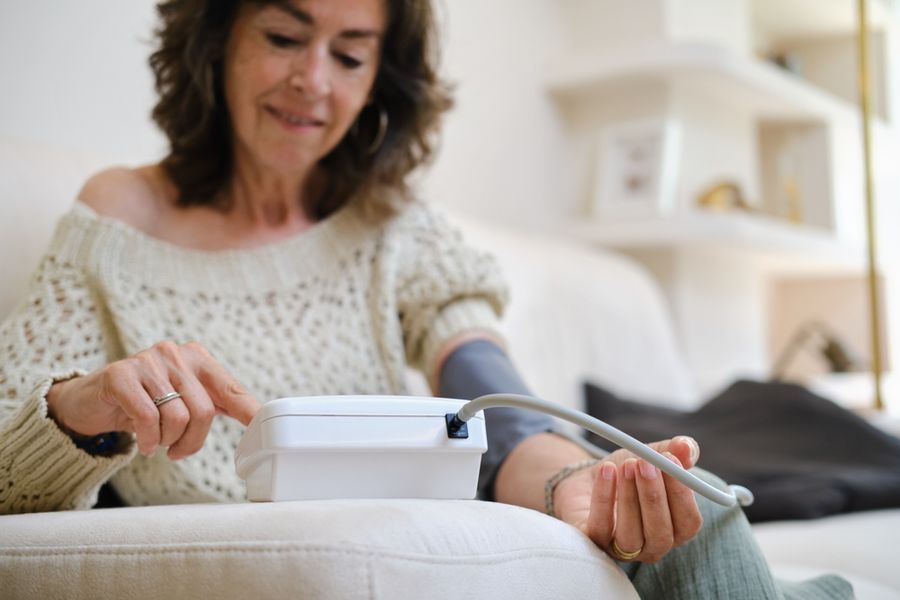
Buying a home blood pressure monitor can feel simple—until you realize many models have never been checked for accuracy in a clinical way. In the U.S., the safest path is to pick a monitor that appears on a trusted validated list, then use it with the right cuff size and the right steps. Understand validated monitors and the practical details that help you get readings you can rely on.
What “Accurate” Really Means
For home use, accuracy starts with validation. That means the monitor has been tested using accepted standards and reviewed so it can be listed as validated for clinical accuracy. One of the clearest U.S. resources is the U.S. Blood Pressure Validated Device Listing at ValidateBP, which is supported by the American Medical Association (AMA).
Next comes fit and technique. Even a validated monitor can give poor readings if the cuff is the wrong size, the cuff is placed wrong, or you measure while talking, moving, or sitting in a way that strains your arm. Think of validation as “the device can be accurate,” and technique as “you let it be accurate.”
Best Pick For Most People
If you want a straightforward upper-arm cuff monitor from a brand many clinics recognize, the OMRON Platinum Upper Arm (BP5450) is on the ValidateBP listing as a home device validated for clinical accuracy.
Why it’s a strong choice: upper-arm monitors are generally easier to position correctly than wrist monitors, and this model is built for standard home tracking. Focus on getting the cuff centered on your upper arm, keeping your arm supported at heart level, and taking readings at the same times each day. If your arm size is near the edge of the cuff range, consider a model or cuff option that clearly matches your arm, because cuff fit is one of the biggest drivers of bad readings.
Simplest “No Tubes” Option
If you want a cleaner setup with fewer parts, the OMRON Evolv Wireless Upper Arm (BP7000) is also listed on ValidateBP as validated for clinical accuracy.
The main benefit here is ease. With fewer pieces to handle, many people find it easier to place and use the same way every time. Consistency matters more than most people think. Take a minute to sit still before you start. Keep both feet flat on the floor. Rest your arm on a table so your muscles are relaxed. Then take two readings and write them down (or sync them) so you can spot patterns over time, not just one-off spikes.
Strong “Multi-User Home” Choice
For households where more than one person tracks blood pressure, the A&D Medical Premium Multi User (UA-767F / UA-767FAC) is listed on ValidateBP as a validated home device.
A practical advantage is that it supports multiple users and offers several cuff size options, which helps families avoid the “one cuff fits all” problem. When you shop, don’t just pick the monitor—confirm you can get the cuff size that matches your arm. A too-small cuff can push numbers higher than they should be, and a too-large cuff can pull numbers down. Once you have the right cuff, use the same arm each time unless your clinician tells you otherwise.
Best for App-First Tracking
If you prefer an app-based routine and want readings stored automatically, Withings BPM Connect (WPM05) is listed on ValidateBP as a validated home device.
This is a good fit for people who do better when tracking is simple and automatic. The key is to avoid letting the “smart” features distract you from proper measuring. Sit quietly, don’t talk, and don’t rush. If you get an odd reading, wait a minute and repeat it. What you want is a steady pattern across days and weeks. If your readings are often very different from one minute to the next, it can be a sign you’re moving, the cuff is slipping, or you’re measuring before you’ve settled.
How to Get More Reliable Readings
Start by choosing a validated monitor from the ValidateBP list, because it is designed to help patients and clinicians find devices validated for clinical accuracy. Then lock in a repeatable routine: measure at the same time each day, sit still first, keep your arm supported, and use the correct cuff size. Take two readings and record both.
One more tip that helps: bring your monitor to a medical visit and ask for a quick comparison with the clinic device. That simple check can confirm your cuff placement and show whether your home monitor is lining up with a professional reading.
The Short List That Keeps You on Track
If accuracy is your top goal, start with a monitor that is validated for clinical accuracy on the U.S. listing, then make cuff fit and technique your daily priority. For many people, the OMRON Platinum (BP5450) is a solid standard choice, while the OMRON Evolv (BP7000) offers a simpler all-in-one cuff design.
The A&D UA-767F is useful for multi-user homes, and the Withings BPM Connect is strong for app-based tracking. Pick one that fits your arm and your routine, and you’ll get readings you can trust and share with your clinician.